A strong service page can still sit on page two if almost nothing on your site points to it. That happens on local service websites all the time.
Owners add city pages, blogs, FAQs, and new services, yet their rankings often remain flat. Mastering an effective internal linking strategy is essential for any successful local SEO campaign. By implementing a clear internal linking local SEO approach, you ensure that search engines understand which pages are your most important assets.
Thoughtful internal links help search engines crawl your site more efficiently, while simultaneously guiding visitors toward the next step in their journey. When executed correctly, these links help your pages pull their weight, ensuring that your most valuable content gains the visibility it deserves.
Key Takeaways
- Prioritize Site Structure: Organize your website in a hierarchical layer system, starting with the homepage and branching into pillar service pages, location pages, and supporting blog content to help search engines understand page priority.
- Use Contextual Anchor Text: Replace generic phrases like “click here” with descriptive, natural keywords that signal the intent and subject matter of the linked page to search engines.
- Map Content to User Intent: Link related pages to guide visitors through their specific journey, ensuring that informational content leads naturally to conversion-focused pages like contact forms.
- Conduct Regular Site Audits: Monthly maintenance is crucial to identify and eliminate orphan pages, fix broken links, and remove footer spam that can clutter your site and dilute your topical authority.
Why internal links matter more on local service sites
Local service websites usually have a clear goal: get the visitor to call, book, or fill out a short form. That sounds simple, but many sites make their best pages hard to find, which creates a poor user experience.
When your site architecture is weak, your top pages lose support. A plumbing site might have separate pages for drain cleaning, water heater repair, emergency plumbing, and service areas, but those pages often sit alone. While search engines can crawl them, they do not receive a strong signal about which page is most important.
That is where internal links do the heavy lifting for your site. By connecting related content, you build topical authority that shows you are an expert in your niche. For example, a page about water heater repair in Newark becomes significantly stronger when it receives internal links from emergency plumbing pages, tankless heater guides, and your main Newark location page. This process passes link equity from your broader authority pages to your specific service pages, helping them rank higher for local queries.
If your best service page has only one or two weak internal links, search engines view it as an isolated page rather than a high-priority asset.
Strategic internal links also help with search intent. A visitor searching for HVAC repair near me wants local service fast, while a visitor searching for why their AC is blowing warm air wants answers first. Effective navigation allows you to connect these distinct user journeys without mixing the purpose of each page.
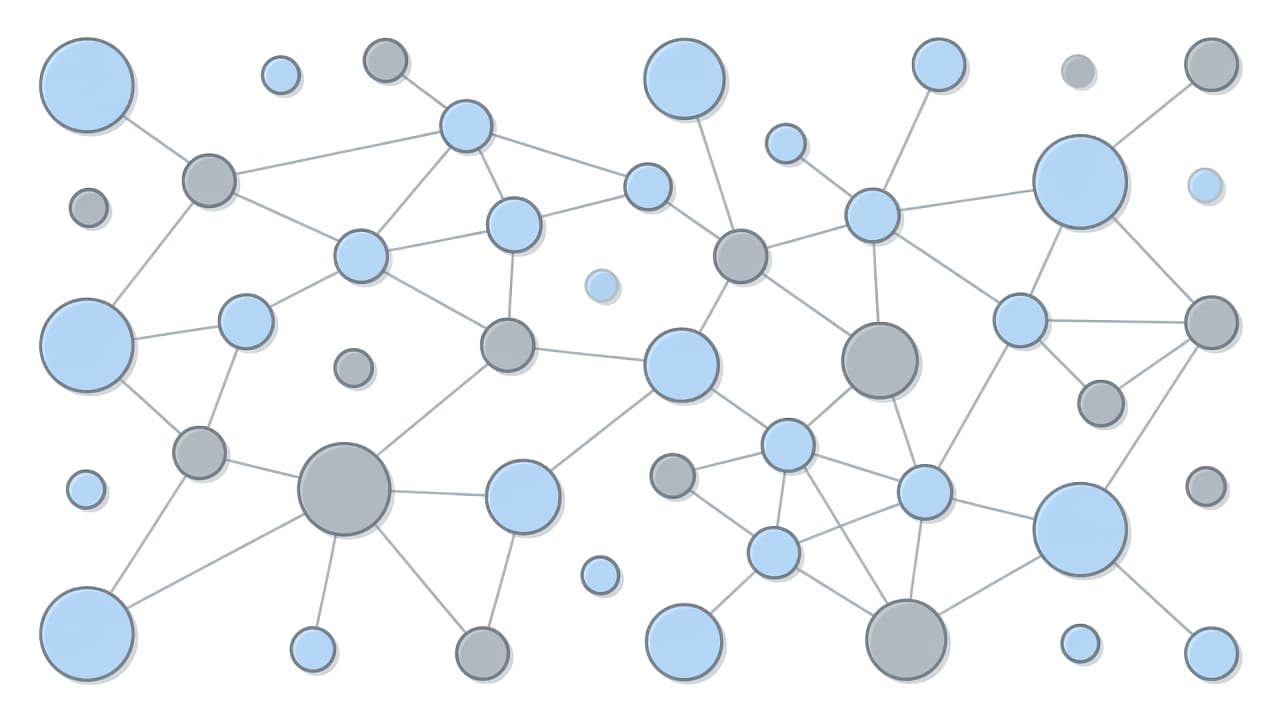
As Moz’s internal linking best practices explain, well-placed links help crawlers understand page relationships and keep users engaged longer. For local businesses, those internal links matter even more because a single well-guided visit is often the precursor to a phone call.
Build a site structure that supports service and city pages
Effective internal links rely on a logical site structure. Think in layers. Start with the home page, move to your pillar pages for core services, then branch out to sub-services, location pages, and supporting content. A clean site architecture ensures that both users and search engines can easily navigate your site hierarchy.
Most local sites benefit from a straightforward framework like this:
| Page type | Best pages to link to | Why it helps |
|---|---|---|
| Home page | Core services, major location pages, contact page | Pushes authority to revenue pages |
| Main service pages | Sub-services, key cities, quote form | Builds service relevance and conversion paths |
| Location pages | Matching services, reviews, contact page | Supports local intent and lead generation |
| Blog or FAQ page | Related service pages, relevant location pages | Moves informational traffic toward action |
This setup keeps important pages within a few clicks. That is good for crawl paths, and it is better for people on phones who want answers fast. By using intentional navigational links, you create a seamless journey that guides visitors through your site structure.
A plumber in Cherry Hill is a good example. The Cherry Hill location page should not stop at a general service summary. It should link to drain cleaning, sewer line repair, water heater repair, emergency service, and the contact page. A dentist can do the same with a location page that points to cleanings, dental implants, emergency dental care, and insurance details. An attorney can link a city page to family law, personal injury, workers’ compensation, and consultation pages.
If your Google Business Profile sends traffic to a local landing page, that page should never be a dead end. It should route people to the exact service they need, then toward a call or form. If your service pages still read like flat brochures, this service page SEO template for local businesses gives a useful model.
When your site architecture feels disorganized, a quick outside review can save time. A No-cost discovery call makes sense if you are staring at dozens of pages and no clear hierarchy.
Use anchor text and supporting content to build topical relevance
Once your structure is in place, the next step is managing the links within your copy. This is where many sites either do too little or go too hard.
Generic links like “learn more” do not provide search engines with useful signals. Conversely, over-optimized anchor text repeated on every page can trigger red flags. Natural anchor text works best because it provides context without sounding forced. Using descriptive keywords such as “emergency furnace repair,” “teeth whitening options,” or “car accident lawyer in Trenton” helps Google understand your page intent.
Supporting content should point toward your money pages, as this is how you build robust topic clusters around the services that drive your revenue. By organizing these clusters, you create content hubs that effectively map your expertise to potential customers.
Follow this short process to improve your results:
- List your top revenue pages, usually your core services and primary city pages.
- Identify supporting content that relates to each, such as blogs, FAQs, financing pages, and case studies.
- Add contextual links inside the body copy, rather than relying solely on sitewide menus or footers.
- Review your site monthly to identify orphan pages, weak anchor text, and missed internal linking opportunities.
For example, an HVAC company might publish a blog post about common summer AC issues. That post should use contextual links to direct readers to their AC repair services, emergency HVAC service, and the relevant location pages if the article mentions a specific city. Similarly, a dentist writing about tooth pain should link to their emergency dentistry services, while a law firm explaining what to do after a crash should point to their personal injury page.
This strategy gives Google a cleaner map of your expertise. Effectively linking your site in this manner ensures that your topic clusters are clearly defined and that your location pages and service pages support each other without creating a confusing, tangled mess. For larger sites, building this site authority requires careful mapping of pages based on topic and user intent.
Link for conversions, not only for crawl paths
A well-placed link does more than just support your search engine rankings. It actively guides the visitor forward, creating a seamless user experience that turns passive interest into action.
This is critical because today’s traffic comes from diverse sources. A visitor might land on your site from a Google search, your Google Business Profile, social media, or an AI-generated search summary. If that page fails to provide clear direction, you lose the lead regardless of your search ranking. By optimizing your internal links, you ensure that every visitor finds a logical path to conversion.
The best local service websites cater to different intent levels. A high-intent visitor may want to call immediately, while others prefer to book later or read reviews first. Your internal links should support each of these paths with intuitive next steps.
Consider these strategies to improve your conversion flow:
- Create a cohesive user experience by linking from blog posts to their matching service pages, then directing users toward the contact page.
- Link from individual city pages to trust-building assets like reviews, financing options, or emergency service information.
- Use internal links on service pages to guide users to related offerings, such as directing someone from a drain cleaning page to a sewer repair page.
Keep your forms concise. Asking for a name, email, and phone number is usually sufficient for an initial contact. Ensure your pages remain fast, mobile-friendly, and easy to navigate. If a page loads slowly or hides the primary contact button, even the best linking strategy cannot save the conversion.
Technology can assist after the click, but it cannot fix a weak foundation. Chatbots, voice receptionists, and other AI tools are highly effective when a prospect lands on your service pages after hours. These tools can capture lead details, answer simple questions, and route inquiries effectively. However, they perform best only when your site structure already points people to the right service and the right form.
If your traffic flow feels disjointed, a quick Schedule Call can help you identify which pages should rank, which should convert, and how to connect them for maximum impact.
Common internal linking mistakes that hold local sites back
The most significant mistake is random, disorganized linking. When new pages go live and links are added haphazardly, the site grows without a cohesive strategy. Over time, this leads to weak support for your most important pages and creates noise around irrelevant content, which negatively impacts your overall crawlability and indexation rate.
Another common problem is the overuse of exact-match anchor text. If every service page links to a specific city page using the exact same phrase, the pattern appears unnatural to search engines. Vary your anchor text to keep it readable, helpful, and user-focused.
Footer spam is also a major issue. Some local businesses dump every city and every service into a giant footer block. This rarely helps your rankings. Instead, it creates clutter, weakens your thematic focus, and can make the site feel desperate.
Watch for these specific technical problems as well:
- Excessive crawl depth where important pages are three or four clicks away from the homepage.
- Orphan pages that exist without any internal links pointing to them.
- Duplicate city pages with only the location swapped, which often causes issues in multi-location SEO efforts.
- Broken links left behind after site redesigns.
- Service pages that fail to receive contextual links from your older, high-performing blog content.
A monthly review goes a long way in maintaining site health. Check your top service pages, high-traffic city pages, and any pages that receive visitors but fail to generate leads. Improving the connections between these pages is a powerful tactic. Sometimes, a few smart edits to your internal linking structure can raise conversions significantly without needing to change your rankings at all.
Frequently Asked Questions
How many internal links should I put on a page?
There is no fixed number, but the focus should always be on relevance and user experience rather than quantity. Include links that provide genuine value to the reader and naturally bridge the gap between informational content and your primary service or contact pages.
Does over-optimizing anchor text hurt my SEO?
Yes, using the exact same keyword-heavy anchor text across all your links can look like web spam to search engines. Use a variety of descriptive, natural phrases that sound like they belong in a normal sentence to keep your link profile appearing authentic.
What is an orphan page and why is it a problem?
An orphan page is a page on your website that has no internal links pointing to it from anywhere else on your site. This makes it difficult for search engine crawlers to find and index the page, effectively making it invisible to potential customers.
Should I link to my contact page from every single page?
While the contact page should be easily accessible, it is more effective to link to it from pages where the user is already inclined to convert, such as service descriptions or location pages. Simply adding a link in the main navigation is often enough to keep the contact page reachable without overwhelming your content.
Final thoughts
Local rankings do not always require adding more pages. Often, they require better connections between the pages you already have. By strategically using internal links, you guide both search engines and potential customers through your site more effectively.
When service pages, city pages, blogs, and contact paths work together, Google gets a clearer map and visitors get a shorter path to action. When you prioritize these internal links, you maximize your overall search visibility and ensure your site structure remains intuitive. Ultimately, refining these connections is one of the most reliable ways to improve your local SEO and drive meaningful results for your business.