Google Business Profile services help local customers quickly find and understand the specific work your business offers, turning high-intent searches into qualified leads. By listing clear, focused services with straightforward names and descriptions linked to relevant website pages and easy contact options, you streamline the customer journey and improve lead quality. Keep your profile accurate and regularly updated to maximize local search visibility and conversion.
Most local leads begin with high-intent searches, not a brand-name search. A homeowner needs a drain cleared. A parent needs an emergency dentist. A business owner needs an electrician who can respond quickly.
That is why Google Business Profile services matter. A complete Google Business Profile setup gives your business listing a clear service menu. It supports search visibility by helping people understand what you offer, without promising higher rankings.
The goal is not to list every possible task. It is to make the next step obvious for the right customer.
Key Takeaways
- Build a focused Google Business Profile service menu around real, high-value work your business performs, rather than listing every possible task.
- Use clear, customer-focused service names and descriptions that explain the scope of the work without keyword stuffing, duplicate variations, or unsupported claims.
- Connect each major service to a relevant website page and an easy next step, such as a call, booking form, or short contact form.
- Measure qualified calls, bookings, consultations, and completed jobs—not only profile views, clicks, or changes in local search visibility.
- Keep your profile, service areas, locations, staffing, and contact paths accurate through regular reviews and careful updates.
Why Google Business Profile Services Turn Searches Into Leads
A business category tells Google the broad type of business you operate. The service menu adds useful detail about the jobs, appointments, or consultations customers can request.
They match the way local customers search
People who have never heard of your business usually search by need. They type phrases such as “drain cleaning near me,” “emergency dentist,” or “estate planning attorney.” These are category-based searches with clear search intent, and they often qualify as high-intent searches rather than branded searches.
The profile’s service entries give Google more context around those needs. They don’t guarantee a top ranking in Google Maps or local search results, but they can support local SEO by making your offering clearer to Google and potential customers.
A plumbing company with “Plumber” as its primary category still needs to show whether it handles drain clearing, water heater repair, sewer-line inspections, or emergency calls. A focused menu gives people a faster answer.

They reduce friction before a call or booking
A strong service menu removes uncertainty. Customers shouldn’t have to call simply to ask whether you perform a common service.
Use each entry to answer three questions:
- What is the service called in customer language?
- What work is included?
- What should the customer do next?
When the profile, website, and call-to-action all agree, the lead journey feels more direct. That matters most when a customer is comparing several local options on a phone.
Build a Focused Service Menu Before You Add Details
Start with services that drive revenue, solve frequent customer needs, or support your most important local search terms. Google Business Profile services should reflect real work your team performs, not a wish list. Prioritizing core offerings gives your profile and related website content a clearer local SEO focus.
Put accuracy ahead of volume
During Google Business Profile setup, choose a primary category that describes the business as a whole. Business categories define the broad business type, while service categorization organizes the specific work available under it.
A dentist might list emergency dental visits, teeth whitening, dental implants, and routine cleanings. An electrician might list panel upgrades, outlet repair, EV charger installation, and lighting installation.
Avoid listing services you outsource, no longer offer, or cannot deliver in the listed service area. Google’s business representation guidelines require information to be accurate and representative of the real business.
For service-area businesses, use real cities, ZIP codes, or regions as service areas. Businesses providing home services should not publish a home address where customers cannot visit you. Google’s service-area setup instructions allow businesses to add areas served through the profile.
Use auto-suggested services and custom services selectively
Google may suggest services based on your category. Use those options when they accurately match your work. They can save time and keep terminology familiar.
Custom services work best when a valuable offering is missing or a suggested name is too broad. For example, a company may need separate entries for “seasonal HVAC maintenance” and “heat pump repair.”
After profile verification, use Google’s current profile-editing instructions to review available service fields and make changes only when the profile is ready. Labels and features can vary by category, business type, and location, so do not rely on old screenshots or outdated advice.
Start with six to 12 distinct services if that covers your core work. Treat accurate selection as part of profile optimization, and add more only when each entry gives customers useful information.
Write Customer-Focused Service Names and Service Descriptions
The best service names sound like requests a customer would make. They reflect search intent, not a string of locations, keywords, and sales claims.
Name the job, not the marketing campaign
Use plain language first. “Water heater repair” is clearer than “Best affordable water heater repair in Lakewood NJ.” The second version relies on keyword stuffing and makes unsupported claims.
Keep city names in the appropriate profile, location, and website content fields. Do not repeat the same city in every service name. Avoid claims such as “lowest price,” “number one,” “guaranteed,” “24/7,” or “licensed” unless you can prove they are accurate and current.
Use custom services only for genuine offerings written in ordinary customer language. Don’t create another keyword variation.
Descriptions should explain scope, not exaggerate results. A useful formula is:
Customer need + service scope + practical next step
Use descriptions that set the right expectation
A short description can help customers self-qualify before they call. Individual descriptions should clarify scope, while the broader business description summarizes the company. Each one should be specific enough to be useful, but not so long that it reads like a sales page.
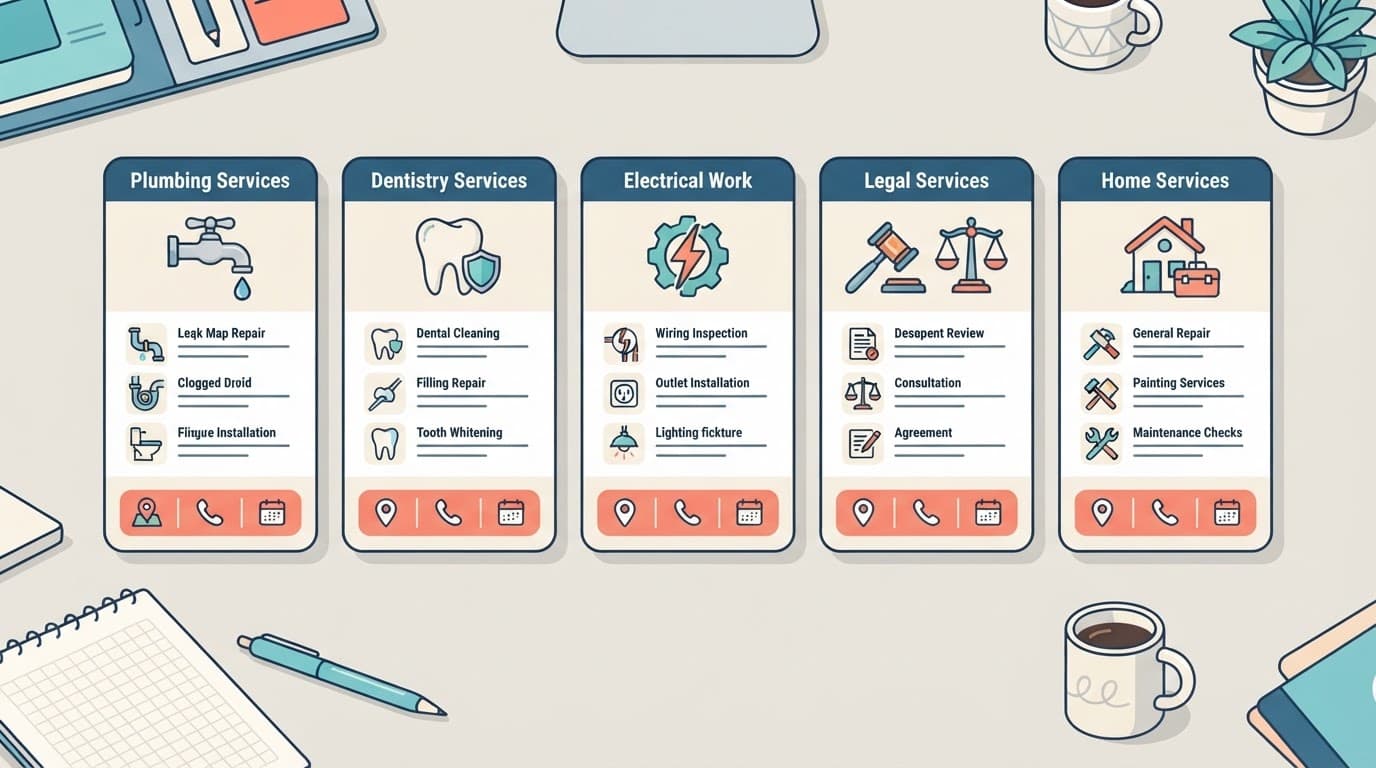
Here are practical examples that can be adjusted to match what your business actually provides.
| Business type | Service name | Customer-focused description |
|---|---|---|
| Plumber | Drain clearing | Clear blocked kitchen, bathroom, or main drains after an on-site assessment. |
| Dentist | Emergency dental visit | Assess urgent tooth pain, a broken tooth, or a lost filling. |
| Electrician | Electrical panel upgrade | Review panel capacity and replace equipment when an upgrade is needed. |
| Legal firm | Estate planning consultation | Discuss wills, trusts, and next steps based on the client’s stated goals. |
| Home-service business | HVAC maintenance visit | Inspect and maintain eligible heating or cooling equipment offered by your company. |
Do not create five versions of “plumbing repair” that differ only by neighborhood. Duplicate or irrelevant services can confuse customers and weaken the menu. One clear service page and one clear service entry will usually do more work than repeated variations.
Connect the Service Menu to Your Website and Calls to Action
Google Business Profile services generate more value when they point customers toward a useful next step. Don’t send every visitor to a generic homepage and hope they find the right page.
Match services with the right landing pages
After Google Business Profile setup, each major service should connect to a relevant section or page on your website. A person who clicks after seeing “electrical panel upgrade” should land on a page that explains the service. It should confirm your service areas, qualifications, pricing approach, and contact options.
Consistent details across the profile and website reinforce relevance through local SEO. Use a primary website link that supports your highest-value local services. If your profile offers a booking or action-link field, direct it to the exact scheduling page for that service. Test the full path on a mobile phone before publishing it.
Your social media posts can reinforce a seasonal service or promotion, but the wording and availability should match the profile and website. Conflicting offers create doubt when a customer is ready to act.
Give customers more than one way to contact you
Some people want to call now. Others prefer booking later, filling out a short form, or asking one quick question. A home services company may need both immediate calls and later booking options.
Keep forms short at first. Name, phone, email, and service needed are usually enough to begin. An AI-powered chatbot can capture basic requests after hours, while voice receptionists can route urgent callers or collect details when your team is unavailable.
A slow mobile page or buried phone number wastes the visibility your profile earned. Keep call buttons visible, booking steps short, and service pages focused on one customer need.
Measure Whether the Menu Produces Better Leads
Local SEO can increase profile views, but views are only an intermediate signal. Track the actions that move toward a booked job, appointment, or consultation.
Establish a baseline before you make changes
Record 28 days of activity before updating your menu. Track profile calls, website clicks, booking actions, Google Maps direction requests for storefronts, and qualified leads in your CRM.
Use tracking parameters on the website link, such as utm_source=google, utm_medium=organic, and utm_campaign=gbp. GA4 can then separate profile traffic, while Search Console reports website click-through rates separately from profile actions.
Ask every new lead how they found you and what service they need. The services menu doesn’t always provide a separate click event for each entry, so your intake process fills the attribution gap.
A call-button click shows interest, not revenue. Compare profile activity with answered calls, booked appointments, and completed jobs.
Review lead quality, not only lead volume
Check results weekly and review the full menu monthly as part of ongoing management. For multi-location businesses, segment reporting by location instead of blending every profile.
Look for patterns in the services customers mention during calls, form submissions, and bookings. Treat customer reviews as qualitative feedback on recurring service language, not as menu conversion data.
If “emergency drain clearing” brings qualified calls while “fixture replacement” brings unrelated inquiries, revise the service descriptions. Then review the related website paths.
Keep website performance and organic search visibility separate from profile actions. Do not react to small daily ranking changes in search visibility or local search results. Focus on lead trends over 30 to 90 days.
This approach connects SEO activity to business outcomes instead of chasing visibility for its own sake.
Verify the Profile and Scale It Carefully
Accurate Google Business Profile setup, locations, and service details must come before advanced optimization. A polished menu cannot fix an unverified or misleading business listing.
Complete verification with real business proof
Google offers verification methods based on the business and profile. Profile verification may require video evidence that the business exists and that you manage it, such as work equipment, a vehicle, access to the business, or nearby location markers.
Follow Google’s current video verification requirements closely. Use accurate names, addresses, phone numbers, categories, and service details before submitting. Changing core details during verification can create avoidable delays.
Create a repeatable process for multiple locations
Multi-location businesses should build a shared service framework for each branch. Validate custom services against each location’s actual offerings, hours, staff, and coverage. Franchise locations still need branch-level review. Don’t copy a menu to every location if the services differ.
Google bulk verification is designed for eligible businesses with 10 or more locations of the same business. Businesses with service areas often need location-by-location verification, so keep records organized before beginning.
If your locations, service pages, and CRM reporting are out of sync, a No-cost discovery call can help identify the highest-priority fixes. If you already have a clear backlog, Schedule Call to turn it into an action plan.
Frequently Asked Questions
What are Google Business Profile services?
Google Business Profile services are specific offerings listed within a business profile, such as drain clearing, emergency dental visits, or panel upgrades. They add detail to the broad business category and help customers understand what work they can request.
How many services should I add to my profile?
Start with six to 12 distinct services if that covers your core offerings. Add more only when each entry describes real work and gives customers useful information.
Should service names include cities or keywords?
Service names should use plain customer language, such as “water heater repair” or “estate planning consultation.” Avoid repeating cities, creating keyword variations, or making claims such as “lowest price” or “number one” unless they are accurate and supportable.
How do I know whether my service menu is producing leads?
Track profile calls, website clicks, booking actions, qualified leads, answered calls, and completed jobs before and after updates. Ask new leads how they found you and what service they need, then review trends over 30 to 90 days instead of reacting to small daily changes.
Make Every Service Entry Earn Its Place
Well-written Google Business Profile services do not win leads through keyword stuffing. They answer a clear customer question, direct people to the right contact path, and give your business cleaner lead data.
Profile optimization means keeping services, coverage areas, staffing, and contact paths accurate. Google Business Profile setup is only the beginning, so ongoing management includes reviewing the menu whenever the business changes. Keep only entries that describe real work and help customers act with confidence.
Most local prospects are not looking for clever copy. They’re looking for a business that can solve their problem and make contact easy.