Request a review shortly after the local service job is complete and the customer confirms satisfaction, ideally 30 to 120 minutes after the technician leaves. For simple services, same-day requests work best; for larger projects, wait until the customer can verify the finished result. Send one polite reminder 2 to 3 days later if needed, keeping requests short, neutral, and easy to complete.
Your customer is most likely to leave useful feedback during the happy moment when the last tool is packed, the work looks right, and relief is still fresh. That is why when to request a review matters: ask after the customer confirms the job is complete and satisfied, not while a technician is still standing in the doorway.
Send too early, and the customer may still be testing the repair. Wait a week, and the details have faded. This timing strategy keeps the request timely and helps collect useful customer feedback without making the interaction feel transactional.
Key Takeaways
- Request a review after the job is complete, the customer confirms satisfaction, and the technician has left.
- Same-day requests work well for services with immediate, visible results; larger projects may need a final walkthrough or time to use installed equipment.
- Send the first request about 30 to 120 minutes after the job closes, then send only one polite reminder 2 to 3 days later if needed.
- Keep requests short, neutral, and easy to act on. Avoid pressure, incentives, review-gating, and requests for specific ratings or wording.
- Automate requests through your CRM and monitor delivery, response, conversion, review velocity, and unresolved complaints to improve the process.
Why Timing Matters After the Job Is Done
Customer reviews aren’t a button to press at random. They reflect the customer’s complete experience, including the work, communication, cleanup, and final handoff.
For local businesses, authentic reviews on a Google Business Profile can support local SEO and provide credible proof to share on your website and social media.
Wait for a Clear Job-Completion Signal
Make job completion a documented event in your system. That could be a signed approval, a paid invoice, a completed work order, or a customer saying the issue is resolved.
At minimum, the technician should confirm the customer is comfortable with the completed work. Then send the invitation after the technician leaves.
Adjust for Projects That Need More Time
Cleaning, lawn care, pest control, and small repairs usually work well with a same-day request. The customer can see the result immediately, creating a happy moment for a simple follow-up.
An HVAC installation, roof replacement, remodel, or recurring service needs a different approach. These jobs may involve installed hard goods, so delay post-purchase emails until the customer completes a final walkthrough or has enough time to use the equipment. Asking before the customer can verify the finished result may create unnecessary frustration. Suitable visual projects may also produce optional video testimonials, but they shouldn’t replace honest reviews.
A Practical Review Request Timing Timeline
The job-close trigger captures the “happy moment” more reliably than an arbitrary hour. The optimal time still depends on your service type and contact channel.
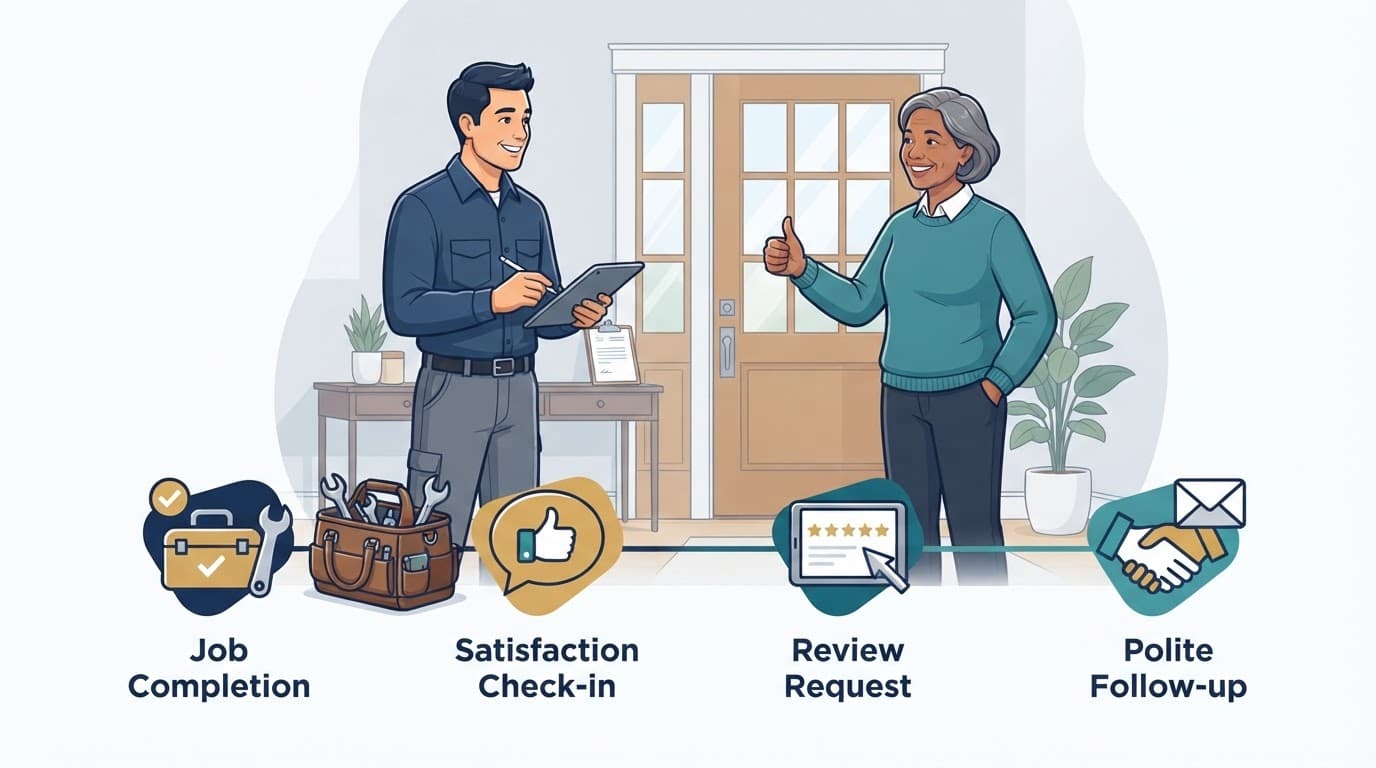
| Moment | Timing | What happens |
|---|---|---|
| Job closes | Immediately | Record the completed status and preferred text or email channel. |
| Satisfaction check | Before the request | Confirm the customer believes the work is complete. |
| First request | 30 to 120 minutes later | Send one neutral SMS after the technician has left. |
| Email option | Within 24 hours | Use post-purchase emails for product-linked jobs when email is preferred or text consent is unavailable. |
| Follow-up reminders | 2 to 3 days later | Send one polite reminder only when no review has arrived. |
There is no absolute optimal time of day for every company. For post-purchase emails, test the next business morning around 9 or 10 AM. With hard goods, initial product use may affect timing. Avoid late-night messages, and test results by job type, location, and contact channel.
Make the Process Consistent, Not Manual
Your CRM should trigger the request when a work order is marked complete, not when someone remembers at the end of the week. Automated review requests reduce missed opportunities and prevent duplicate messages.
AI can sort replies and alert a manager when a customer mentions a problem. Website chat bots and voice receptionists should record the same consent status and job details, so customers do not receive competing requests.
Track completed jobs, invitations delivered, review collection, response rates, click-to-review conversion rates, and unresolved complaints each month. Track review velocity as a practical monthly trend, too. If the process feels disconnected, a No-cost discovery call can help identify the gaps between dispatch, invoicing, and follow-up.
Use Direct, Neutral Review Requests
A good request is short, personal, and easy to act on while the customer’s happy moment is still fresh. Don’t ask for five stars, a positive rating, specific wording, or a review that mentions an employee by name.
A Short SMS Request
Only text customers who have agreed to receive business messages, and include the opt-out language required by your messaging program.
Hi [First Name], thanks for choosing [Business] today. If you have a minute, would you share an honest review of your service? [Review Link] We appreciate your feedback.
A Simple Email Request
Email gives you more room to thank the customer without turning the message into a sales pitch.
Subject: Thank you for choosing [Business]
Hi [First Name], thank you for trusting us with your [service]. We hope you are happy with the completed work. If you have a moment, please share an honest review here: [Review Link]. Thank you for your time.
For businesses that sell equipment or another product as part of a local service, post-purchase emails should follow these same neutral request principles.
Use the customer’s first name, mention the completed service, and include one clear review link. Customers who volunteer more detail may optionally provide video testimonials, but don’t pressure them or suggest a video is required. For additional wording options, review these customer review request templates.
Handle Complaints and Platform Rules With Care
A poor experience needs a real response, not a rushed review request. Unresolved service problems can produce negative reviews, so pause the automated invitation while a manager investigates and works to understand the issue.
Resolve the Issue Before Reaching Out
Do not use a review link as a bargaining tool. Never ask a customer to remove or change a critical review in exchange for help.
Once the issue is resolved, return the customer to the same neutral process used for every completed job. Make review management consistent, based on job status and open service cases, not on whether you expect praise.
Avoid Review-Gating and Incentives
Review-gating happens when a business screens customers by sentiment, sends happy people to a public review page, and routes unhappy people to a private form. That creates a distorted picture of what customers experience.
Google’s rating manipulation policy prohibits incentivized and biased reviews. The FTC also warns businesses about deceptive review practices in its guidance for soliciting online reviews.
Same-day asking is a business best practice, not a Google deadline. Platform policies focus on honest, representative feedback that is free from pressure, filtering, and rewards.
Frequently Asked Questions
When should I ask for a review after a local service job?
Ask after the work is complete, the customer confirms the result is satisfactory, and the technician has left. For many services, sending the request 30 to 120 minutes later keeps the experience fresh without interrupting the handoff.
Should I use the same timing for every type of service?
No. Cleaning, lawn care, pest control, and small repairs often support a same-day request, while installations, remodels, and other product-linked jobs may require a final walkthrough or time for the customer to use the equipment.
How many review reminders should I send?
Send one clear initial request and, if no review arrives, one polite reminder 2 to 3 days later. More frequent messages can feel intrusive and may create duplicate or competing requests.
What should I do if the customer has a complaint?
Pause the review request while a manager investigates and works to resolve the problem. After the issue is addressed, return the customer to the same neutral review process used for other completed jobs, without offering incentives or asking for a particular rating.
Make Each Request Earn Its Place
Strong review request timing is simple: finish the job, confirm satisfaction, send one clear request, and follow up once if needed. That approach respects the customer while building a healthier review process.
A few authentic written reviews will do more for trust than a large batch collected with pressure or shortcuts. Optional video testimonials can add context, while conversion rates can reveal missed requests or duplicate texts rather than justify pressure. If manual follow-up is causing those issues, Schedule Call to build a process that fits how your team actually works.