Yes, in most cases, an AI receptionist will work directly with your existing phone system. You likely do not need new phones, a new number, or a complex replacement project to add AI capabilities to your business. For the vast majority of small business owners, integrating an AI receptionist with their current VoIP, PBX, or landline setup is a straightforward, seamless process.
It can often connect to your current cloud phone setup or even a traditional landline through simple forwarding. What matters most is knowing what to check before you buy, so you can optimize your current phone system without needing an unnecessary hardware overhaul.
Key Takeaways
- Most current phone systems like VoIP (RingCentral, Nextiva), PBX, or even landlines integrate easily with an AI receptionist via SIP, extensions, or call forwarding—no new hardware or numbers needed.
- Setup keeps your existing call flow seamless, adding 24/7 availability, message taking, transfers, and features like CRM integration and appointment scheduling.
- Before buying, check call transfers, number retention, downtime, and internet reliability; a short pilot test ensures it fits your small business perfectly.
- AI receptionists deliver quick ROI through cost savings and enhanced lead capture, outperforming legacy auto attendants without a full phone upgrade.
Most current phone systems can connect to an AI virtual receptionist
Compatibility is common in 2026. Businesses using VoIP providers like RingCentral, 8×8, Dialpad, Nextiva, 3CX, Cisco, FreePBX, Ooma, and Asterisk can often add automated call handling without rebuilding everything. Automated call handling provides 24/7 availability that a single human receptionist cannot match. Even older landlines may work through forwarding, so many companies can keep their setup in place.
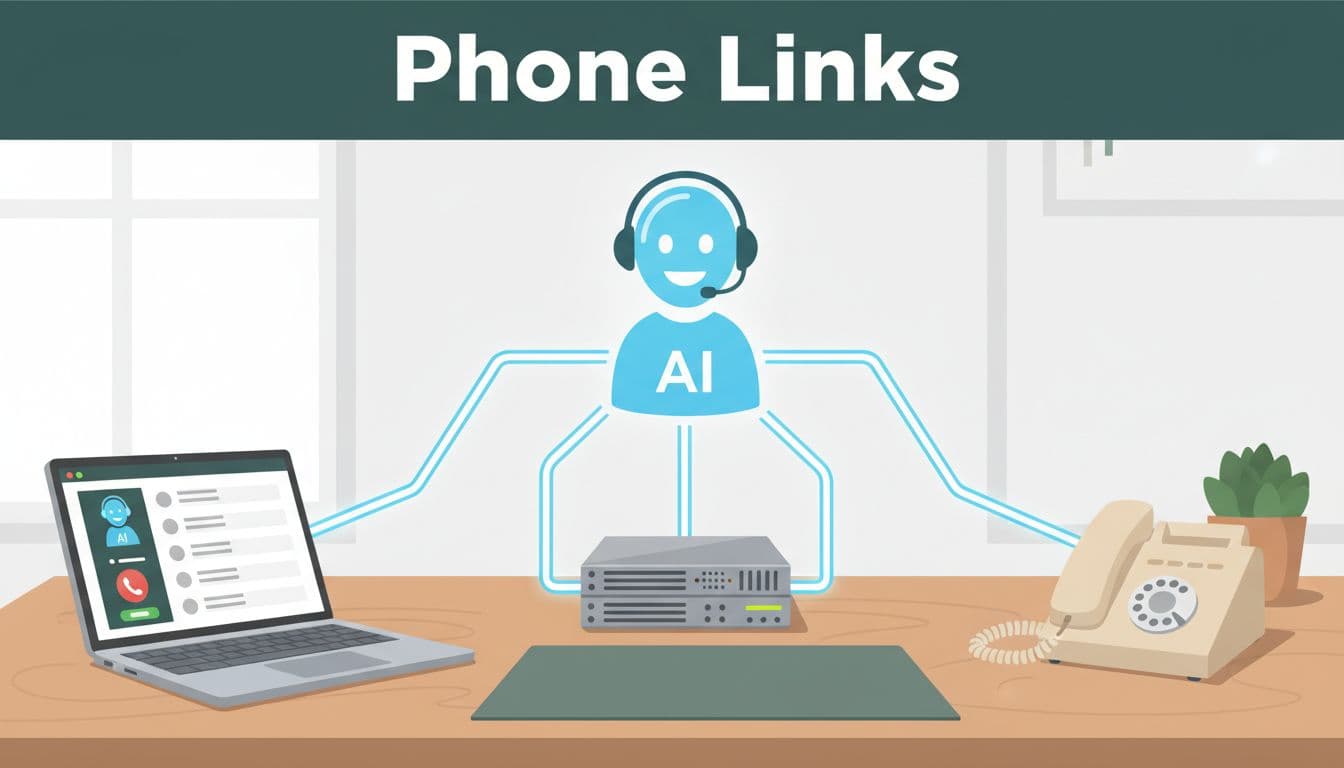
With VoIP or PBX systems, the AI often connects through SIP, extensions, or direct call routing. In plain terms, it joins the same call path your staff already uses. Call routing remains seamless within the existing infrastructure. That usually means you can keep your number and skip new hardware.
If you still use a landline, call forwarding may be enough
A landline can often forward calls to the AI receptionist. It answers, takes messages, routes urgent calls, and sends details back by text or email.
How the integration usually works behind the scenes
The process is usually simpler than it sounds. A virtual receptionist integrates seamlessly with cloud-based phone systems, on-site setups, and hybrid configurations. Many AI receptionist platforms can fit all three.
SIP and direct connections give you the most control
A SIP connection lets the AI act like part of your phone system. Thanks to natural language processing, it can efficiently handle parallel calls, answer calls, transfer to staff, follow business hours, and manage overflow rules without feeling patched on.
Cloud tools add more than call answering
Cloud-based tools offer CRM integration, appointment scheduling, calendar integration, and even Zapier connections. They book appointments, update your CRM, and send text summaries after missed calls to boost lead capture. That helps when leads come from your Google Business Profile and your team needs fast follow-up.
What to check before you choose an AI receptionist
Before you pick a vendor, focus on fit to enhance the customer experience. The best setup matches how your team already works.
Ask about call transfers, downtime, and number retention
Confirm your provider is supported. Then ask how calls transfer to staff, about emergency routing, whether your current number stays the same, if setup causes downtime, and for voicemail transcription. Also check after-hours handling and what happens if no one can take a live transfer.
Pick a setup that fits how your team already works
Look at internet reliability, speech-to-text accuracy, spam filtering, multilingual support, calendar integration as a requirement for virtual receptionist tools, CRM needs, and live human fallback. A short pilot often tells you more than a long sales pitch, because you can test real calls, build the knowledge base, and ensure automated call handling works as well as a human receptionist before a full rollout.
Frequently Asked Questions
What if I still use a landline phone?
Landlines often work by simply forwarding calls to the AI receptionist, which answers, takes messages, and sends details via text or email. Urgent calls route back to staff as needed. No full replacement is usually required.
Do I need to worry about setup downtime or changing my number?
Setup rarely causes downtime, and you can retain your current number in most cases. Confirm with the provider about your specific system and test via a pilot. This ensures smooth integration with your existing workflow.
What features should I check for, like CRM or calendars?
Look for cloud tools with CRM integration, calendar syncing, Zapier support, and appointment booking to boost lead capture. Also verify speech accuracy, spam filtering, and live human fallback. These match how small businesses already operate.
When an upgrade might make sense, and when it probably does not
Most small businesses don’t need a full phone change. A modern AI receptionist delivers far more value than a limited legacy auto attendant, often providing quick ROI through significant cost reduction without any hardware swap. Still, some older systems have limits, so a partial upgrade may improve routing or reporting while adding SMS follow-up, sentiment analysis, and advanced appointment scheduling. These features enhance lead capture and customer experience, driving even greater cost reduction over time. Some platforms are more closed, too. Zoom is one to verify before you buy, because certain AI calling features may depend on Zoom Phone.
For most small businesses, adding an AI receptionist doesn’t mean starting over. Gather your provider name, current call flow, and must-have features first to maximize your ROI.
If you want help sorting the best fit, book a no-cost call.