How to Optimize Your WordPress Site for SEO and User Experience
Google can spot a city-name swap from a mile away, and your customers can too, especially those making “near me” searches. If your local landing pages all sound the same, they usually struggle to rank, and they rarely convert as well as they should.
The answer isn’t writing every page from scratch. It’s building a repeatable system that keeps the right parts consistent and makes the right parts local. That’s what turns local SEO into a durable growth channel driving organic traffic instead of a content cleanup project.
Key Takeaways
- Build local landing pages with unique value for users, not just city-name swaps: include localized intros, social proof like area reviews or case studies, neighborhoods served, and market-specific FAQs to avoid duplicate content penalties and doorway page risks.
- Use templates for structure (headers, core services, CTAs) but customize key sections (proof, service areas, conversion notes) to reflect real market differences and match Google Business Profiles where applicable.
- Follow a repeatable scaling process: group similar locations, create data-rich content briefs from reviews and insights, use AI for drafts but human-edit for uniqueness, run similarity checks, and measure post-launch.
- Avoid thin content mistakes by prioritizing quality over quantity—audit with the pre-publish checklist, ensure honest service-area details, and focus on conversion assets that build trust and drive local organic traffic.
Why local landing pages often fail
Most weak location pages have the same problem. They exist for search engines, not for people.
A business creates one page, copies it 30 times to make city landing pages, changes the city name, and publishes. The headline changes. The meta title changes. Maybe a paragraph mentions the city twice. Everything else stays the same. That approach is fast, but it doesn’t answer the real question a visitor has: “Why should I trust this business in my area?”
Duplicate content in local SEO is often less about penalties and more about low value. When many pages say nearly the same thing, Google has little reason to rank them separately in local search results. The pages can also compete with each other, which weakens the whole section of the site. Search Engine Journal’s breakdown of duplicate content in local SEO is a useful reminder that copied local content sends mixed signals.
Thin content makes the problem worse. A 200-word city page with generic copy, one stock image, and a form isn’t a local resource. It’s a doorway-style page waiting to be ignored.
That doorway risk matters for multi-location businesses. A doorway page is built mainly to capture search traffic and funnel users to the same destination, with little added value on the page itself. If 40 location pages all point to the same offer, use the same proof, and hide the same national call center behind different city names, you’re getting close to that line.
If you can swap the city name and nothing important changes, the page probably isn’t local enough.
Strong local landing pages work because each one gives users a superior user experience, a real reason to stay, compare, and contact.
What makes a location page truly unique
A location page delivers unique content when it reflects the reality of that market. That doesn’t mean you need a custom essay for every city. It means the page has to answer local search intent in a way another page on your site cannot.
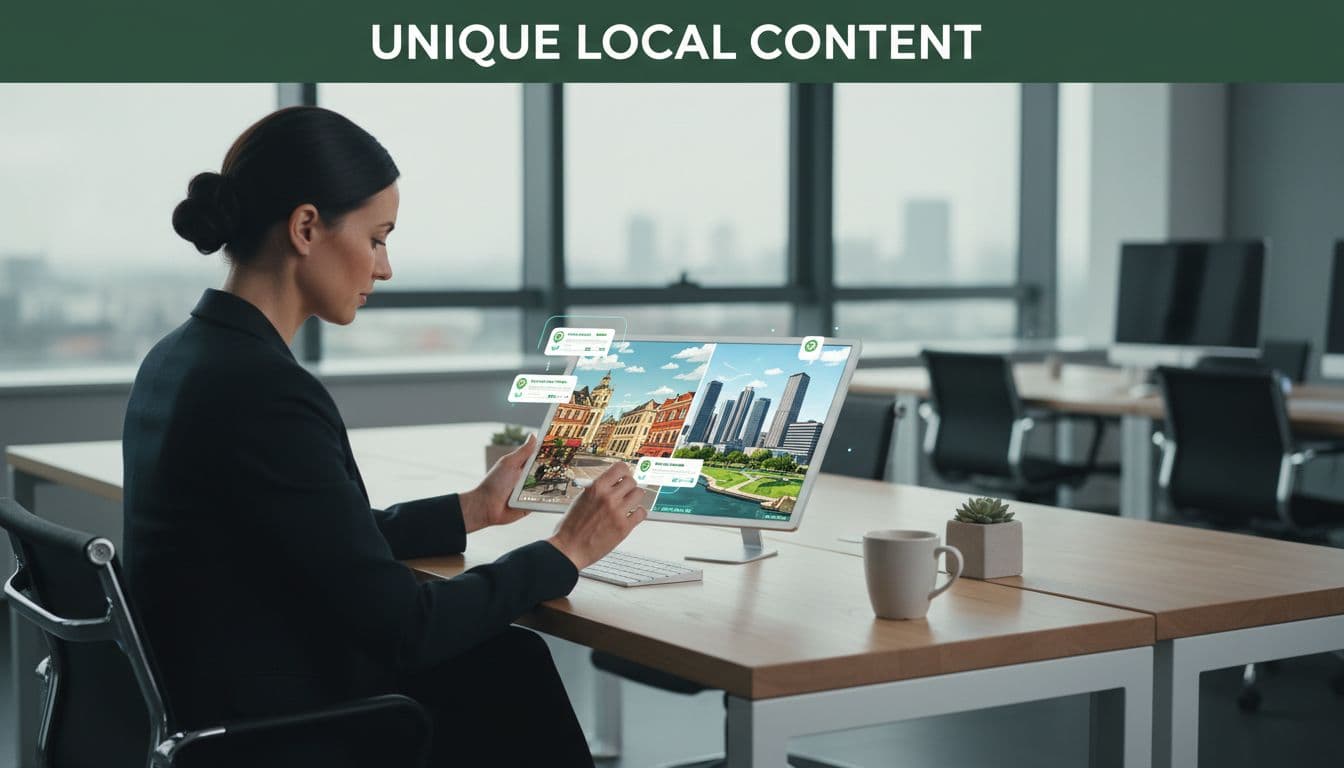
Start with localized content about the things customers in that area care about, incorporating location-specific keywords. For a home service brand, that could be response times, travel radius, weather-related needs, neighborhood coverage, and permit or inspection details. For a healthcare or legal brand, it might be office access, parking, local staff, location-specific keywords like regional regulations, and nearby landmarks. For an agency, it could be the industries common in that city, meeting options, and examples of work tied to local competition.
Good local pages also carry social proof. That can include reviews from nearby customers, a short case study from the area, photos from the market, team details, service-area notes, or community involvement. Even one or two meaningful pieces of social proof can do more than 500 words of generic copy.
This is where many teams underbuild. They treat the page as an SEO asset only. It should also be a conversion asset. If your page mentions the city but doesn’t explain availability, service options, trust signals, and next steps, it’s incomplete.
Useful content blocks often include a local introduction, neighborhoods served, a market-specific service section, a review block, an FAQ, directions or service radius details, a Google Maps widget, and a callout that matches your Google Business Profile. If you manage reputation across locations, you can also pull insights from local reviews and even relevant social media activity to show real market presence, not generic brand noise.
A solid guide to local landing page content makes the same core point: you don’t fix duplicate pages with cosmetic edits. You fix them with unique content.
What should stay templated, and what must be custom
Templates are not the problem. Bad templates are.
A good template keeps your layout, UX, internal linking strategy, conversion elements, and page structure consistent. That saves time and makes scaling possible. Problems start when the template writes most of the story and the location adds almost nothing.
This split works well for most multi-location sites:
| Page element | Keep templated | Make custom by location |
|---|---|---|
| Header, footer, and core layout | Yes | No |
| Primary service descriptions | Partly | Add local use cases and service notes |
| Intro paragraph | No | Yes |
| Reviews and testimonials | No | Use local proof where possible |
| Team or contact section | Partly | Add local names, photos, hours, or routing details |
| FAQ block | Partly | Rewrite based on local questions |
| Map, directions, and service area | No | Yes |
| Google Business Profile details | No | Match NAP data, business hours, categories, and address where relevant |
| Calls to action | Partly | Clarify local response method and availability |
The key is simple. Your template should create structure, not sameness.
For example, every page can include a “Why choose us” section. But the version on a Dallas page should not reuse the same bullets as the version for Fort Worth if the markets differ. One may highlight same-day availability, while the other highlights service coverage across surrounding suburbs.
The same rule applies to conversion tools. A universal form can stay the same. But if one market routes leads to live staff and another uses voice receptionists or after-hours chat bots, that detail belongs on the local page because it changes the user experience and can improve conversion rates.
Over-templating usually shows up in the same places: repeated intros, identical FAQs, generic city mentions, and duplicated proof. A strong template gives your writers room to localize what matters.
A strong template saves time. An overused template removes the reason for the local landing page to exist.
A repeatable process for scaling pages across many locations
If you’re a multi-location business building 10 pages, you can manage with a spreadsheet and editorial discipline. If you’re building 100 or more, you need a system. The process below keeps quality high without turning the project into a custom-writing marathon.
- Group locations before you write anything.
Don’t treat every market as totally different if it isn’t. Group locations by service model, proximity, customer type, or office status. A physical office page, a service area page, and a metro-area page should not use the same brief. - Create a fixed page framework.
Include technical SEO elements like LocalBusiness schema in your template. Decide which sections appear on every page, then lock them. Common sections for service area pages include intro, core service summary, local proof, neighborhoods served, FAQ, and CTA. This keeps the site organized and helps teams move faster without making each page identical. - Build a content brief for every location.
Each brief should include local search intent, nearby landmarks, neighborhoods served, unique selling points, review snippets, photos, service limitations, competitor notes, and conversion details. Pull data from customer calls, local reviews, sales teams, Google Business Profile insights, and support logs. This is where the page gets its raw material. - Use AI as an assistant, not the author.
AI can help summarize reviews, organize notes, draft section ideas, and flag missing fields. It should not auto-generate 80 finished city pages from one prompt. If the input is thin, the output will be thin too. Multi-location teams get better results when AI supports research and first-pass structure, then a human editor writes the local distinctions that matter. - Write the custom blocks first.
Start with the intro, local proof, neighborhoods served, FAQ, and conversion notes. Those sections create most of the page’s uniqueness. Once they are solid, add the standardized service language around them. - Run a similarity check before publishing.
Read pages side by side. If two pages have the same sequence, same examples, and same phrasing, revise one of them. The SEO Handbook’s discussion of local landing pages is a good reminder that scaled location content still requires real editorial work. - Measure after launch and improve in batches.
Watch rankings, internal click paths, engagement, calls, and form fills by location. The best pages often reveal a pattern you can reuse, such as stronger FAQs, better local proof, clearer service-area descriptions, or improved mobile responsiveness.
If you’re planning a large rollout of local landing pages, audit the template before page 1 goes live. A short No-cost discovery call can save months of rewriting later.
Common mistakes that turn local pages into thin content
The most common mistake is writing for the local pack, not for the market.
A page is thin when it has little original information, weak proof, and no real local detail. This often happens when teams publish local landing pages before they have enough inputs. They know they want coverage in a city, so they create the page first and hope to improve it later. Most never do.
Another mistake is pretending every location is a physical office. If you don’t have a staffed location in a city, don’t write like you do. Be clear about service area, geographic areas, travel coverage, appointment options, and response times. Accuracy helps SEO, and it protects trust.
Teams also overuse generic local signals. Dropping in a map, adding the city to the title, and listing a few nearby ZIP codes doesn’t make a page strong. The page still needs original copy, local proof, and local intent alignment.
Watch for repeated reviews and repeated FAQs too. If the same testimonial appears on 12 city pages, it loses power. If every FAQ asks the same four questions in the same order, the content starts to look machine-made. The same issue applies to conversion messaging for lead generation. A page that says “Call our local team” should match what happens after the click. If all calls route to one national number, say that clearly.
This is also where many brands confuse conversion tools with content quality. Chat bots, ai workflows, and automated routing can improve response time. They don’t make a weak location page useful. The page still has to answer the local searcher’s questions before those tools ever matter.
Local landing page checklist before you publish
Use this checklist before any local landing page goes live:
- The page has a distinct purpose and targets a real location or service area.
- The intro is written for that market, not copied from another page.
- Local reviews, examples, or proof points relate to the location when possible.
- The service-area section names real neighborhoods, suburbs, or coverage details.
- The FAQ answers questions people in that market would ask.
- The page matches your Google Business Profile where an address-based location exists.
- Phone numbers, hours, and contact routing are accurate.
- Internal links connect the page to relevant services, nearby locations, the main location hub, and store locators.
- Title tag, H1, and meta description are unique and supported by the page copy.
- Images are relevant to the location or service, not the same stock photo used everywhere.
- The CTA reflects what happens next, whether that is a form, live staff, or another response method.
- When compared side by side with related pages, the wording and examples still feel distinct.
If a page misses several of those points, it’s not ready.
Build fewer pages, make them better
The fastest way to lose momentum with local landing pages is to publish too many weak ones. The better move is to build a structure that can scale, then fill it with real local value.
That means keeping templates where they help, writing custom sections where they matter, and resisting the urge to mass-produce local landing pages that say the same thing. When each page answers a local question better than the page next to it, your SEO gets stronger with more organic traffic, your conversions improve, and the site becomes easier to grow.
FAQ
How much of a local landing page should be unique?
There isn’t a fixed percentage that guarantees results. What matters is whether the page answers local intent in a way that stands out in local search results compared to another page on your site. In practice, the intro, proof, FAQ, service-area details, and conversion notes should all feel location-specific. If the only custom text is the city name, the page is too thin.
Can AI write local landing pages at scale?
AI can speed up research, summarize reviews, and help organize briefs. It should not be the final writer for a large set of local pages unless a human editor is adding real localized content and checking for overlap. The risk isn’t only bland copy. It’s publishing pages that all sound like the same draft with different place names.
Do I need a Google Business Profile for every location page?
No. A location page and a business profile are related, but they are not the same thing. If you have a legitimate, staffed location, the page should align closely with that profile. If you’re a service-area business without a public office in a city, the page should describe the service area honestly rather than implying a storefront that doesn’t exist.
What if I serve a city but don’t have an office there?
You can still build useful service area pages if the page is honest and helpful. Focus on where you travel, who you serve, typical response times, nearby projects, and local customer questions. Add proof from that market when you have it. If you don’t yet have enough substance for a full page, wait until you do instead of publishing a weak placeholder.
Should local landing pages include social media or review content?
They can, as long as it supports the page instead of filling space. A short pull from a local review, a photo from a community event, or a market-specific social media post can strengthen trust. The key is relevance. If the content doesn’t help someone in that location choose your business, leave it out.